Table of Contents
On November 16, Google started rolling out Ask Maps appointment calls in the U.S. A customer types something like “Find me a 4 p.m. nail appointment near me” into Ask Maps, the Gemini chat inside Google Maps, and Google looks for open slots online and can phone local businesses to check. Google named four categories: beauty, pet care, auto repair and home repair. If you run one of those businesses, the next caller asking whether you have an opening tomorrow afternoon may be Google’s automated system, calling for a customer who has already decided to book somewhere.
This is about your phone line and your profile settings more than your rankings. Below is what Google has said, how its automated calls work according to the Business Profile help pages, the one setting that controls them, and a checklist to finish before Thanksgiving week, when holiday hours make wrong information more likely.
What Google announced about Ask Maps appointment calls
Google’s announcement came from Maz Khorasani, Product Director for Google Maps, in a post about holiday features. The appointment piece is two sentences long. Google says that “with new agentic capabilities, you can choose to have Ask Maps find beauty, pet care, auto and home repair appointments online and call local businesses for you,” and that Ask Maps “will show you open slots across nearby businesses so it’s easy to decide what to book.”
The rest of the confirmed detail:
- The updates started rolling out November 16 on Android and iOS.
- Appointment finding launches first in the U.S. Google says more regions are “coming soon” and gives no dates.
- The same release added road trip itineraries and search across saved lists, and started expanding Ask Maps to 30 more countries in Europe.
Engadget’s write-up notes that Ask Maps may ask the customer for more details (service, location, preferred time) before it shows available slots. Google’s demo shows that confirmation step before any checking happens.
Google has called businesses for searchers before. Search Engine Journal points out that Google launched AI calling in Search in July 2025, where a person searching for something like auto repair could tap “Have AI check pricing” and Google would phone nearby providers. At that launch, a Google spokesperson said the businesses it contacts are picked based on traditional local search rankings. Google has not said the same about Ask Maps, so treat that as background, not a rule.
How Google’s automated calls to your business work
The announcement doesn’t explain the mechanics. Google’s Business Profile help page, About automated calls and texts from Google to your business, does. It covers calls Google makes “on behalf of customers” from Search or Maps. The parts a service business needs:
- What the calls are for. Booking appointments after a customer gives details such as preferred time, service type and party size; checking restaurant wait times; and confirming the price and availability of products and services. When you share a price or availability on one of these calls, Google says the customer gets an email or text with your details or service quote.
- Booking partners come first, sometimes. If you use an online booking provider, Google says it may book through that partner or call your business directly.
- The calls are recorded. Google says they are monitored and recorded for quality assurance.
- Where they happen. In the U.S., in every state except Indiana, Louisiana, Minnesota, Montana and Nebraska.
- How often. Google says it limits repeat calls for the same information and avoids calling late at night or early in the morning.
- Cost. Google says businesses and customers can use the feature at no charge.
Search Engine Journal pointed out that Google’s Ask Maps post doesn’t say whether Ask Maps calls follow these same rules, including the five-state exclusion and the opt-out setting below. The help page was written for Google’s automated calls in general, so read it as the closest guide available rather than a promise about Ask Maps.
Which businesses Ask Maps is calling first
Google named four categories and no subcategories. The table sorts common service businesses by how clearly they fit.
| Business type | Named by Google? | What to do first |
|---|---|---|
| Hair, nail and lash salons, barbers, day spas | Yes (beauty) | Make sure online booking shows only real openings; brief the front desk |
| Groomers, boarding, dog walkers, trainers | Yes (pet care) | Check hours and holiday closures; confirm the phone number on the profile rings someone |
| Auto repair, oil change, tire and glass shops, detailers | Yes (auto) | Agree on a standard answer to “when can you fit me in?” and a price range for common jobs |
| Plumbers, HVAC, electricians, handymen, appliance repair | Yes (home repair) | Decide what you can promise on a call versus what needs a diagnosis or site visit |
| Med spas, massage, tattoo studios | Not named; may fall under beauty | Prepare as if included |
| Roofers, remodelers, landscapers | Not named; unclear whether “home repair” covers them | Prepare the phone answer; don’t change settings on a guess |
| Dentists, chiropractors, law firms, accountants | No | Nothing urgent, but the hours and booking work below still helps people who call you directly |
Estimate-driven trades have the hardest call to make. A haircut has a fixed length and a posted price. A water heater replacement or a roof leak usually needs photos, a diagnosis or a visit before anyone can quote a time and a number. Google hasn’t said whether Ask Maps books a firm slot with trades or passes availability back to the customer, so the safe answer from your office is an honest window (“we can get a technician out Wednesday between 1 and 4 for a diagnostic, which is $X”) rather than a promise your schedule can’t keep.
The setting that controls Google’s calls on behalf of customers
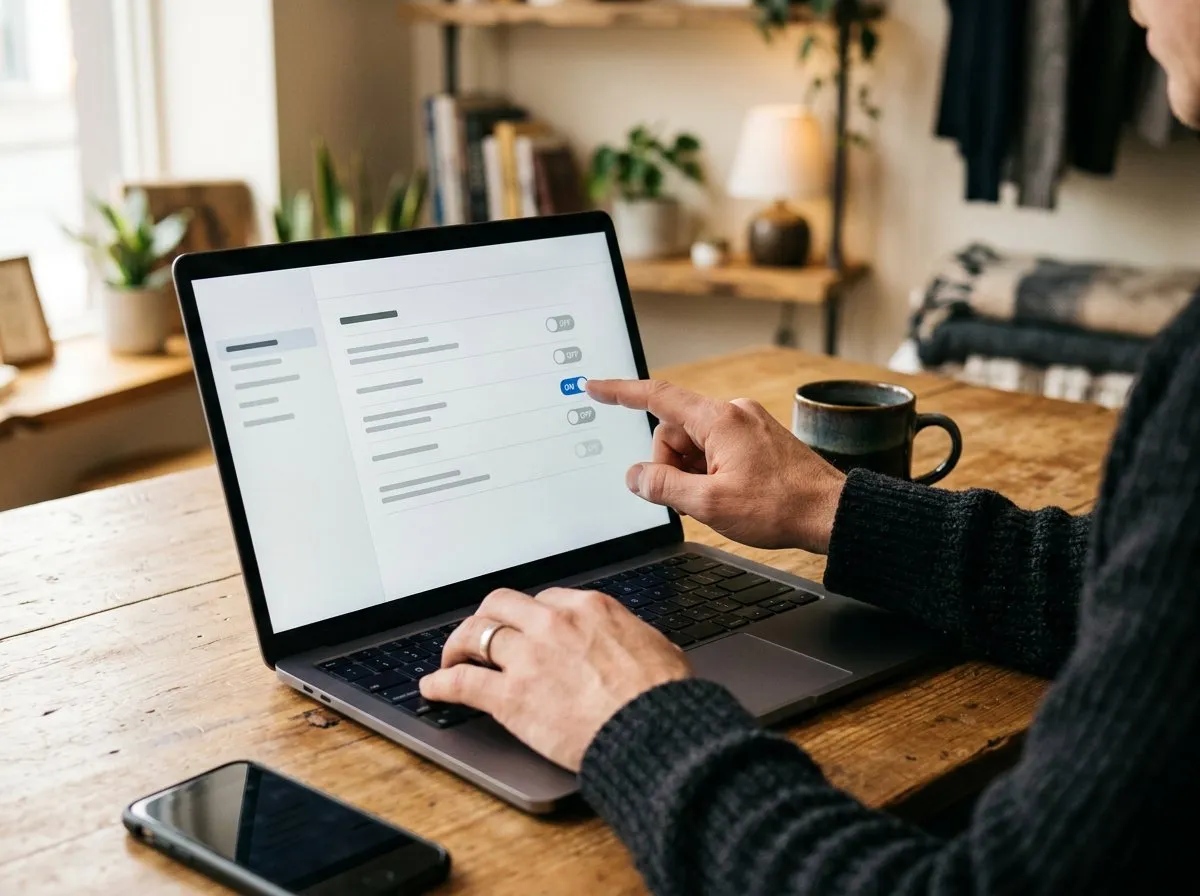
Verified businesses manage these calls in Business Profile. The path Google documents is More > Business Profile settings > Advanced settings, then the section called “Google automated calls and text messages.” The toggle is labeled “Bookings and inquiries from customers.” You can also opt out by telling a Google caller during the call that you don’t want these calls. Google notes that after opting out, you may still get occasional manual calls to confirm your business information.
If you’ve never opened this setting, it’s at whatever Google set by default. Decide on purpose. A rough guide:
| Your situation | Leave it on | Consider turning it off |
|---|---|---|
| Someone answers the phone during posted hours | Yes. A customer who asked Google to find a slot is ready to book. | |
| Online booking with current availability | Yes. Google may book through the partner and skip the call. | |
| One-person shop that can’t pick up mid-job | Maybe, if unanswered calls would leave a bad first impression. Fix call coverage first if you can. | |
| Prices and availability change daily and staff can’t quote either | Maybe, until you have a standard answer ready. | |
| Main number goes to a call center or answering service that won’t recognize Google | Only after you brief them | Until they’re briefed |
Turning it off has a cost. If Google can’t check your openings, Ask Maps may show the customer slots from a competitor that it could check. Nobody outside Google knows yet how Ask Maps treats a business that opts out or doesn’t answer, so weigh the risk of a missed or confusing call against the risk of not being offered at all.
Brief whoever answers your phone
A salon receptionist, a shop service writer, a dispatcher and an answering service all need the same two-minute briefing. Google’s fraud-prevention help page gives examples of how a real automated call opens: “Hi! I’m calling from Google Maps to update your business hours. This is an automated service, so this call is recorded to help improve Google services.” A booking call should identify itself the same way and say why it is calling.
Give your team a short script for the questions these calls are built to ask:
- Service. Confirm you offer what’s being asked for, in the words customers use (“full set,” “oil change,” “AC not cooling”).
- Time. Offer a real opening, or the nearest real alternative. “Call back later” loses the booking.
- Price. Give the same starting price or range that’s on your website and profile. Whatever you say may go to the customer in writing.
- Name and contact. Take the customer details Google passes along exactly as you would for any booking, and mark the source.
Then cover what a real Google call never does. Google’s help pages say it will never ask for payment, credit card information or account passwords, and that you won’t be asked to sign up for a service or give personal info. If a caller says your listing will be removed unless you pay, or offers a “guaranteed” top spot on Maps, it isn’t Google. Google’s advice is to hang up without pressing any buttons, even if the recording tells you to. In the U.S., you can report repeat callers to the FTC through donotcall.gov or 1-888-382-1222.
If you use aggressive spam filtering or a call-blocking app, test it. Google says its automated calls come from a set of designated numbers, and a phone system that silences unknown or “suspected spam” numbers may block them before anyone hears a ring.
Set holiday hours before Thanksgiving week
Ask Maps launched ten days before Thanksgiving (November 26), Black Friday (November 27) and Small Business Saturday (November 28). If Google is matching customers to open slots, a profile that shows you open on Thanksgiving when you’re closed will send customers and calls to a dark shop, and one that shows you closed on the Friday you’re working loses those bookings.
Google’s special hours help page walks through it: go to your Business Profile, select Edit profile > Hours, and next to “Special hours” select Edit. You can confirm a suggested holiday date or add your own, then either leave “Closed” checked or enter the hours you’ll be open. A few details from that page that trip people up:
- Special hours cover changes or closures of up to six days in a row. Seven or more, and Google says to mark the business temporarily closed instead.
- Special hours only show if your main hours are set to “Open with main hours.”
- Google recommends confirming hours for official holidays even if they’re the same as your regular hours, so customers can see the hours are accurate.
Do the same for December now if you know your Christmas Eve, Christmas and New Year’s hours. Then make sure your website and your booking tool say the same thing. If those three disagree, a customer has no way to tell which one is right, and an automated system checking availability may land on the wrong one.
Make your booking calendar match the time you can take
Google’s help page says that if you work with an online booking provider, Google may book through that partner instead of calling. For salons and groomers that already book online, the calendar may answer these requests before the phone rings, so it has to be right.
From Bookings in your Business Profile, Google lets you select Get started and choose a provider that works with Reserve with Google; Google says the provider shows up on your profile within a week. You can also add your own booking link. Either way:
- Block off time you can’t take: lunch, admin hours, the chair or bay that’s out of service, staff vacation over the holidays.
- Name services the way customers ask for them, and set realistic lengths so a 90-minute service doesn’t get booked into a 30-minute gap.
- Remove booking links that go to an old system, a generic homepage or a page that requires a login.
- Book a test appointment yourself from your Google listing and see where it lands and who gets notified.
If you run trades work through field service software, ask the vendor directly whether it can publish real availability to Google’s booking integrations. Google hasn’t published a list of supported systems for Ask Maps, so don’t assume yours is connected.
What your website needs to say so Ask Maps and customers can read it
Google says Ask Maps finds appointments “online.” It hasn’t said which sources it reads, but your Business Profile and your website are the two places you control. We wrote about the same pattern when Google started testing AI Overviews inside local knowledge panels: AI features can only repeat what’s written down plainly, and they’re more likely to get it wrong when your site and profile disagree.
For a service page that holds up whether a person, Google’s assistant or another AI tool is reading it:
- Services listed by name, one page or section per main service, in the words customers search.
- Starting prices or ranges in text, not inside an image or a PDF menu. If you can’t publish prices, say what the price depends on and what a diagnostic or consultation costs.
- Hours and holiday hours in text, matching your Business Profile.
- Service area for businesses that travel to the customer, named by city or neighborhood.
- One clear way to book: a booking button that goes to the same calendar Google uses, plus a tap-to-call number on mobile.
- Policies people ask about before booking: deposits, cancellation windows, same-day availability, emergency fees.
Since November 16, a mismatch between your site, your profile and your calendar can cost you a booking from a customer who never visits your website. If you’re building or rebuilding a home services site, our home services website design page shows how we build those sites around the phone number, a price range and proof of work.
Track whether Google’s calls turn into booked jobs
Google hasn’t given businesses a report for Ask Maps calls. You’ll have to count them yourself, and it’s worth doing from the first week, before you form an opinion about whether the feature helps.
- Tag the calls. If your phone system or call tracking supports dispositions, add one such as “Google automated inquiry.” If not, keep a paper or spreadsheet log by the phone: date, service asked about, time offered, booked or not.
- Separate inquiries from bookings. Several automated availability checks may reach several shops for one customer. If those calls get counted as leads, your booking rate will look worse even if nothing changed.
- Follow the booking to revenue. Note which of those appointments showed up and paid. That’s the number that tells you whether to keep the setting on.
- Ask new customers how they found you, and include “Google Maps” as an option on intake forms. Our post on tracking AI referral leads in forms and phone calls covers how to capture the source when analytics can’t.
Once you know how many of these bookings you get and what a customer is worth to you, you can judge the feature the same way you’d judge any lead source. Our guide to putting a dollar value on a lead walks through that math.
Keep Ask Maps’ start date in your notes next to two other recent changes that also affect how customers reach you from a listing: Google’s November Small Business Bulletin announced a Message button next to Call on Google Maps listings, and Search Engine Roundtable reported on November 16 that Business Profiles can now add Facebook Messenger as a chat option. If calls drop and messages rise over the same weeks, that’s probably a channel shift rather than lost demand. Our plan for reading November’s search and call numbers through the holidays covers the other changes from the same month.
What Google hasn’t said yet
Several open questions will decide how much this matters for your business. As of November 23:
- How Ask Maps chooses which businesses to check or call. Google hasn’t said whether local ranking, booking integrations, reviews or something else decides it.
- Whether the “Bookings and inquiries from customers” toggle and the five-state exclusion apply to Ask Maps calls.
- Whether Ask Maps books a confirmed appointment over the phone or collects availability for the customer to choose from. Google’s post describes showing open slots; its help page describes booking calls.
- Which trades count as “home repair,” and when other regions get the feature.
- How Ask Maps treats a business that doesn’t answer or opts out.
Watch the automated calls help page for changes. Until Google answers these, the safe moves are the ones that also help with customers who call you directly.
A 30-minute checklist for this week
- Open Business Profile, go to More > Business Profile settings > Advanced settings, and decide whether “Bookings and inquiries from customers” should be on.
- Set special hours for November 26 to 28, and for December holidays if you know them.
- Check that your hours, phone number and services match on your profile, your website and your booking tool.
- Block unavailable time in your booking calendar and book a test appointment from your Google listing.
- Give whoever answers the phone the four-part script above and the scam rule: Google never asks for payment, card numbers or passwords.
- Call your own number at a busy time and count the rings. Test whether call blocking would stop an unfamiliar number.
- Start a log of calls that say they’re from Google, with booked or not booked and paid or not paid.
If you’d rather not keep your profile, hours and listings in sync yourself, our Local Marketing add-on ($149 a month alongside the $349/mo Managed Website plan) covers ongoing Google Business Profile care and directory sync, so hours, address and phone stay accurate across Google Maps, Apple Maps, Yelp and other listings. For a one-time review of your profile, see Google Business Profile optimization.
Sources
- Google: New Ask Maps features to help with holiday travel and prep (Nov 16, 2026)
- Google Business Profile Help: About automated calls and texts from Google to your business
- Google Business Profile Help: Help protect against fraudulent calls and texts
- Google Business Profile Help: How to set special hours
- Google Business Profile Help: Set up bookings through a provider
- Search Engine Journal: Google Adds Appointment Finding & Business Calls To Ask Maps (Nov 16, 2026)
- Engadget: Google Maps’ chatbot can find appointments and call to book them for you (Nov 16, 2026)
- Search Engine Roundtable: Google Business Profiles now lets you add Facebook Messenger (Nov 16, 2026)
- Google Business Profile Community: Google Small Business Bulletin, holiday checklist and new features (Nov 5, 2026)
This post explains Google’s published documentation as of November 23, 2026. Google can change these features and settings without notice, so check the linked help pages before you change a setting.